
CPU vs GPU vs TPU Explained for Database Engineers
Database infrastructure conversations are breaking down the moment hardware enters the room because engineers are asking the wrong question. “Which is faster — CPU, GPU, or TPU?” is the wrong frame. The right question is the same one you already apply to query plans: what execution pattern does this workload need, and what hardware is optimized for that pattern?
Situation
OLTP systems are adding vector similarity, analytical aggregates, and AI inference to their workloads. Infrastructure teams are being asked to provision GPU instances without a framework for deciding when a GPU is the right choice versus a larger CPU instance or a purpose-built accelerator. The same confusion that once surrounded row-store vs column-store has returned at the hardware layer.
The Problem
Engineers who treat CPU, GPU, and TPU as a linear performance hierarchy make the wrong call in both directions: they over-provision GPUs for workloads that remain CPU-bound (transactions, connection management, control flow), and they under-provision accelerators for workloads that are genuinely scan-heavy or tensor-heavy. The result is either wasted capacity or incorrect assumptions that “the GPU is faster” without a workload-specific basis.
If you already understand OLTP vs OLAP, row vs column execution, and latency vs throughput, you already have the right mental model for this hardware decision.
Matching Execution Patterns to Hardware
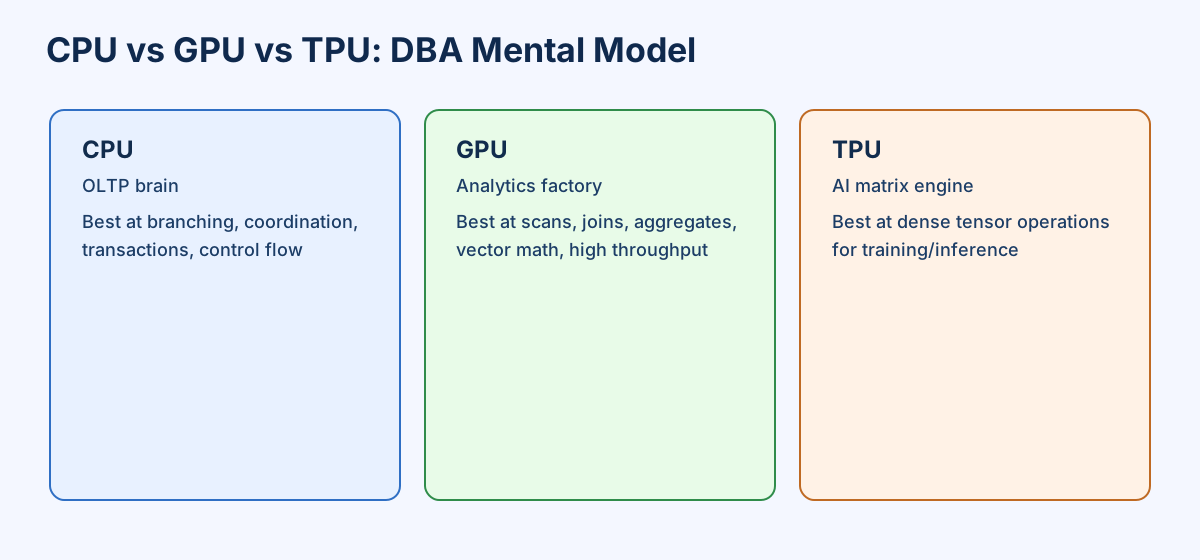
| Hardware | DBA Mental Model | Best At |
|---|---|---|
| CPU | OLTP execution brain | Branching, coordination, transactions, mixed workloads |
| GPU | Parallel analytics engine | Scans, filters, joins, aggregations, vector math |
| TPU | Matrix math appliance | Dense AI tensor operations and model inference/training |
What a CPU Is
A CPU is designed to be general-purpose. It handles many instruction types efficiently: branching, pointer chasing, transaction logic, conditional execution, scheduling and interrupts, complex control flow.
Think of a CPU as a traditional relational engine running OLTP traffic.
SELECT *
FROM orders
WHERE customer_id = 123
AND status = 'SHIPPED';
This is CPU-friendly because it involves index lookups, branching, and low-latency response patterns.
CPUs win when the workload is transactional, branch-heavy, latency-sensitive, coordination-heavy, or dominated by smaller irregular queries.
What a GPU Is
A GPU is not a faster CPU. It is built for repeating the same operation across massive data volumes in parallel.
Think of a GPU as a massively parallel analytics engine optimized for huge scans, repeated arithmetic, columnar execution, vector operations, and parallel filtering.
SELECT SUM(price * quantity)
FROM sales;
With billions of rows, this operation is repetitive and parallelizable — it maps well to GPU threads. GPUs win when the workload is scan-heavy, arithmetic-heavy, batch-oriented, highly parallelizable, or throughput-driven.
What a TPU Is
A TPU is more specialized than CPU or GPU. It is designed for dense matrix and tensor math used heavily in neural networks. Think of a TPU as a purpose-built model-math execution appliance.
TPUs are not general database accelerators. They are strongest when model computation itself is the bottleneck: neural network training, large-scale inference, dense tensor operations, and repeated matrix multiplications with regular shapes.
| Dimension | CPU | GPU | TPU |
|---|---|---|---|
| Flexibility | Highest | Medium | Lowest |
| Best workload | Mixed/general-purpose | Parallel analytics | AI tensor math |
| Latency | Strong | Moderate | Workload-specific |
| Throughput | Moderate | Very high | Very high for AI |
| Branch-heavy logic | Excellent | Weak | Poor fit |
| OLTP | Best | Poor | Poor |
| Analytics | Decent | Excellent | General mismatch |
| ML inference | Decent | Strong | Excellent |
| Matrix multiplication | Okay | Strong | Best |
In Practice
PostgreSQL’s execution model runs on CPUs — its buffer manager, lock manager, and MVCC machinery are built around sequential per-backend processing with branching logic. The documented behavior when you add GPU-accelerated extensions (such as PG-Strom for vectorized scan offload) is that the optimizer continues to handle query planning on CPU while the GPU handles the data-parallel scan and aggregation phases. This division of labor — CPU for control, GPU for data movement — is the documented design pattern for heterogeneous database systems.
NVIDIA’s RAPIDS cuDF library (Apache 2.0, documented at developer.nvidia.com/rapids) processes Pandas-like DataFrame operations on GPU. The documented design note is that data transfer between CPU memory and GPU memory (PCIe bandwidth) is the dominant latency cost for small-to-medium datasets, making GPU acceleration ineffective until the working set exceeds what the transfer overhead amortizes.
Google’s TPU documentation is explicit that TPUs are optimized for matrix multiplications with regular, statically-shaped tensors, and that irregular control flow, sparse operations, and dynamic shapes fall back to CPU or GPU. This boundary is the same boundary a DBA understands as the difference between a full table scan (GPU-friendly) and a complex multi-join query plan (CPU-friendly).
Where It Breaks
| Scenario | What breaks | Why |
|---|---|---|
| GPU for OLTP | Latency increases, no throughput gain | GPU launch overhead and PCIe transfer cost exceed the per-request compute savings |
| CPU for large scans | Query runs 10–100x slower than GPU equivalent | CPU cannot parallelize the same scan operation across thousands of cores simultaneously |
| TPU for database workloads | Misfit — most DB operations are not dense tensor math | TPU lacks general-purpose branching and irregular memory access support |
| Heterogeneous system with small working set | GPU transfer overhead dominates | PCIe bandwidth makes GPU offload slower than in-memory CPU execution until data volume is large enough |
| Assuming GPU = faster for all AI workloads | Inference latency spikes at low concurrency | TPU is faster for batched dense inference; GPU wins for moderate concurrency; CPU wins for single-request light inference |
What to Do Next
- Problem: Adding GPU or TPU infrastructure without a workload-to-hardware mapping wastes capacity on the wrong execution pattern.
- Solution: Classify hot paths by execution pattern before choosing hardware — transactions and coordination stay on CPU, scan-heavy analytics move to GPU, dense model math goes to TPU.
- Proof: Run your heaviest analytical query on a GPU-enabled instance with a columnar execution engine (DuckDB, RAPIDS, or a GPU database) and compare elapsed time and I/O throughput against the same query on your current CPU-only setup — the gap narrows or disappears for CPU-bound query shapes.
- Action: This week, identify the three highest-CPU-cost queries in your monitoring dashboard and classify each as branch-heavy (CPU-bound) or scan-heavy (GPU candidate). That classification determines whether GPU provisioning is justified.